


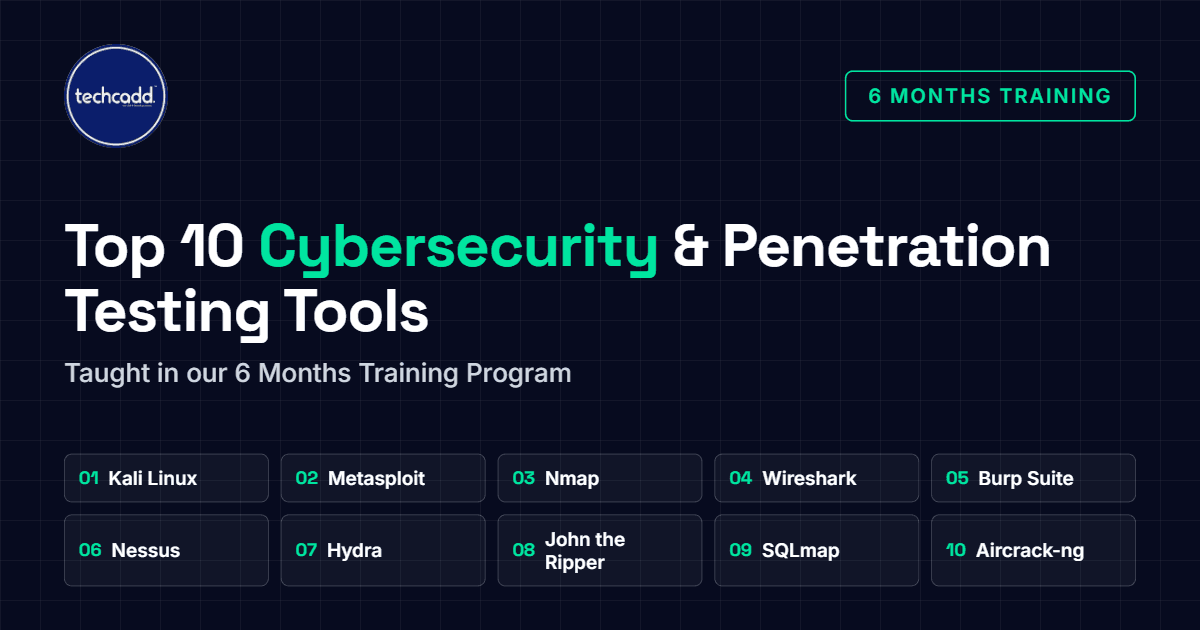
Top 10 Cybersecurity & Penetration Testing Tools Taught in 6 Months Training
Cybersecurity has become an essential part of modern technology. Organisations depend on websites, applications, cloud platforms, networks and digital databases to manage their operations. Protecting these systems from unauthorised access, data theft and cyberattacks requires skilled professionals who understand security concepts and practical testing methods.
For students planning to enter ethical hacking or cybersecurity, learning security tools is an important part of developing practical knowledge. A structured six-month training programme can introduce learners to networking, Linux, vulnerability assessment, web application security, penetration testing and security reporting.
In this guide, we explore 10 widely used cybersecurity tools, their functions, learning applications and how beginners can practise with them in authorised lab environments.
Why Are Cybersecurity and Penetration Testing Tools Important?
Cybersecurity tools help professionals examine systems, understand network activity, identify weaknesses and investigate security incidents. They support different stages of a security assessment, from information gathering to reporting and remediation.
Learning these tools can help students:
Understand how networks and applications communicate.
Identify potential security weaknesses in authorised environments.
Analyse network traffic and system behaviour.
Practise vulnerability assessment techniques.
Understand web application security concepts.
Prepare technical reports and recommend security improvements.
Build practical projects for their cybersecurity portfolio.
Top 10 Cybersecurity & Penetration Testing Tools
1. Kali Linux – A Cybersecurity Testing Environment
Kali Linux is a specialised Linux distribution designed for penetration testing, digital forensics and security research. It includes a collection of tools that help learners understand different cybersecurity workflows.
What students learn
Installing and navigating a Linux environment.
Working with terminal commands and file permissions.
Understanding the purpose of commonly used security utilities.
Managing packages and basic system configurations.
Creating isolated virtual lab environments.
Practical exercise: Set up Kali Linux in a virtual machine and practise Linux commands using a controlled lab environment.
2. Nmap – Network Discovery and Service Enumeration
Nmap, also known as Network Mapper, is used to discover hosts and examine network services. It helps security professionals understand which devices and services are visible within an authorised network.
What students learn
Understanding hosts, IP addresses and ports.
Learning the purpose of network discovery.
Identifying services in a controlled lab.
Understanding service and version detection concepts.
Interpreting scan results responsibly.
Practical exercise: Create a small virtual network and document the services running on lab machines that you own or are authorised to assess.
3. Wireshark – Network Traffic Analysis
Wireshark is a network protocol analyser that allows users to capture and inspect network traffic. It is valuable for understanding communication between devices and investigating unusual network behaviour.
What students learn
Understanding packet capture and network protocols.
Reading packet details and protocol information.
Using display filters to organise captured traffic.
Recognising DNS, TCP, HTTP and other protocol activity.
Understanding basic network troubleshooting.
Practical exercise: Capture sample traffic in a personal lab and prepare a report explaining the protocols and communication patterns observed.
4. Burp Suite – Web Application Security Testing
Burp Suite is widely used for testing web application security. It provides tools that help assess HTTP requests and responses, understand application behaviour and investigate potential vulnerabilities.
What students learn
Understanding how browsers communicate with web servers.
Configuring a proxy for a controlled testing application.
Inspecting HTTP requests and responses.
Understanding cookies, sessions and authentication.
Learning basic web vulnerability assessment concepts.
Practical exercise: Use an intentionally vulnerable training application to inspect requests and document security observations.
5. Metasploit Framework – Controlled Security Testing
Metasploit Framework is a platform used by security professionals for vulnerability validation and controlled penetration testing. It helps learners understand how security weaknesses can affect systems when they are not properly addressed.
What students learn
Understanding the framework's basic architecture.
Learning about modules and payload concepts.
Understanding vulnerability validation in a lab.
Documenting findings and their potential impact.
Learning how patching and configuration changes reduce risk.
Practical exercise: Study a deliberately vulnerable virtual machine in an isolated lab and document the vulnerability, its impact and the appropriate remediation.
6. OWASP ZAP – Web Application Security Scanner
OWASP ZAP, or Zed Attack Proxy, is an open-source tool that helps identify potential security issues in web applications. It is useful for learning how automated scanning and manual verification work together.
What students learn
Understanding web application security testing.
Configuring a testing environment.
Running scans against authorised practice applications.
Reviewing alerts and understanding their severity.
Learning why automated findings require manual validation.
Practical exercise: Assess an intentionally vulnerable web application and create a report explaining selected findings and possible fixes.
7. Nikto – Web Server Assessment
Nikto is an open-source web server scanner that checks for various potentially risky server configurations, outdated components and known issues. It can support introductory web server security assessments.
What students learn
Understanding web server technologies.
Learning basic server assessment concepts.
Interpreting scanner output.
Recognising potentially outdated or insecure configurations.
Understanding the importance of manual verification.
Practical exercise: Review a permitted test server and document configuration observations and recommended security improvements.
8. John the Ripper – Password Security Auditing
John the Ripper is a password security auditing tool used to evaluate password strength in authorised environments. It helps learners understand password hashing and why weak passwords can create security risks.
What students learn
Understanding password hashes and authentication basics.
Learning the difference between plain text and hashed passwords.
Understanding password complexity and password policies.
Studying password auditing with sample lab data.
Learning secure password storage practices.
Practical exercise: Use sample password hashes created for a training exercise to compare password strength and recommend stronger authentication policies.
9. Hydra – Authentication Security Testing
Hydra is a network login auditing tool used in authorised security assessments. It can help professionals evaluate the resilience of authentication services and understand why account protection mechanisms matter.
What students learn
Understanding authentication services and login mechanisms.
Learning about password policy weaknesses.
Understanding account lockout and rate-limiting controls.
Studying authentication security in a controlled lab.
Documenting recommendations for stronger login protection.
Practical exercise: Review a simulated authentication environment and prepare recommendations for multi-factor authentication, account lockout and secure password policies.
10. SQLmap – SQL Injection Testing
SQLmap is an open-source tool that automates parts of the process of detecting and assessing SQL injection vulnerabilities. It is used in authorised web application security testing and educational labs.
What students learn
Understanding relational databases and SQL basics.
Learning how web applications interact with databases.
Understanding the concept of SQL injection.
Recognising vulnerable input handling in training applications.
Learning secure coding practices and parameterised queries.
Practical exercise: Study a deliberately vulnerable application in a private lab and document how parameterised queries and input handling can prevent SQL injection.
Quick Comparison of the 10 Tools
ToolMain learning areaTypical application
Kali LinuxSecurity environmentSecurity lab setup
NmapNetwork discoveryHost and service assessment
WiresharkTraffic analysisPacket inspection
Burp SuiteWeb securityRequest and response analysis
MetasploitVulnerability validationControlled security testing
OWASP ZAPWeb security scanningApplication assessment
NiktoWeb server assessmentServer configuration review
John the RipperPassword auditingPassword strength assessment
HydraAuthentication auditingLogin security evaluation
SQLmapDatabase securitySQL injection assessment
What Students Can Learn During Six Months of Cybersecurity Training
A six-month programme can be organised into progressive learning stages. The exact syllabus varies by institute, course level and available lab facilities. Students should look for a programme that combines theory, guided practical exercises and project documentation.
Month 1: Networking and Computer Fundamentals
Computer hardware and operating system basics.
TCP/IP, DNS, ports and network protocols.
Network devices and basic troubleshooting.
Introduction to cybersecurity principles.
Month 2: Linux and Programming Fundamentals
Linux commands, permissions and file management.
Basic Python programming and scripting.
Understanding system processes and services.
Setting up virtual machines and isolated labs.
Month 3: Security Fundamentals and Information Gathering
Security concepts, threats and vulnerabilities.
Introduction to Kali Linux and Nmap.
Understanding network traffic with Wireshark.
Learning authorised assessment workflows.
Month 4: Web Application and Vulnerability Assessment
Web application architecture and HTTP fundamentals.
Introduction to Burp Suite and OWASP ZAP.
Understanding common web security risks.
Learning secure authentication and database concepts.
Month 5: Penetration Testing Concepts and Reporting
Introduction to Metasploit in isolated practice environments.
Understanding password auditing and authentication security.
Learning server and database security assessment concepts.
Preparing vulnerability assessment reports.
Month 6: Practical Projects and Career Preparation
Completing guided cybersecurity lab projects.
Preparing security assessment documentation.
Building a portfolio and updating a resume.
Practising technical interviews and cybersecurity fundamentals.
Practical Projects to Build During Training
Students should use projects to demonstrate their understanding of tools rather than simply listing software names on a resume.
Project 1: Network Discovery and Documentation
Use Nmap in a private lab to identify authorised devices and services. Prepare an inventory and explain the security relevance of the findings.
Project 2: Network Traffic Analysis
Use Wireshark to study sample traffic, identify protocols and create a short network analysis report.
Project 3: Web Application Security Assessment
Use Burp Suite or OWASP ZAP with an intentionally vulnerable practice application to document selected findings and remediation steps.
Project 4: Password Security Awareness
Prepare an educational demonstration using sample password data to explain password strength, hashing and multi-factor authentication.
Project 5: Security Assessment Report
Combine observations from a controlled lab assessment into a professional report with scope, methodology, findings, risk descriptions and recommendations.
Career Opportunities After Cybersecurity Training
After developing relevant technical knowledge and practical experience, learners can explore entry-level opportunities such as:
SOC Analyst: Monitors security alerts and supports incident investigation.
Junior Security Analyst: Helps assess security events and maintain protective controls.
Vulnerability Assessment Associate: Supports identification and documentation of security weaknesses.
Junior Penetration Tester: Assists with authorised security assessments.
Network Security Associate: Supports network monitoring and security configurations.
Information Security Associate: Helps implement security policies and awareness practices.
Job eligibility depends on employer requirements, education, technical skills and demonstrated experience. Completing a six-month course alone does not guarantee a job or a particular salary.
How to Choose the Right Six-Month Cybersecurity Training Programme
Before enrolling, students should compare programmes carefully. A good course should help learners understand the concepts behind security tools and practise them in safe, permission-based environments.
Check whether networking and Linux fundamentals are included.
Review the actual tool coverage and practical syllabus.
Ask whether guided lab environments are available.
Check whether projects and report writing are part of the course.
Understand trainer experience and student support.
Ask how the programme prepares students for interviews.
Confirm that practical exercises follow legal and ethical guidelines.
Students exploring cybersecurity training in Mohali can compare course duration, practical lab access, project work and learning outcomes before making a decision.
Important Legal and Ethical Guidelines
Cybersecurity tools are powerful and must be used responsibly. Students should never scan, test, access or attempt to exploit systems without explicit permission.
Use your own devices or dedicated practice environments.
Follow written authorisation and the defined testing scope.
Do not access private accounts or confidential information.
Use intentionally vulnerable applications for learning.
Document findings responsibly and recommend remediation.
Frequently Asked Questions (FAQs)
1. Which cybersecurity tool should a beginner learn first?
Start with Linux fundamentals and basic networking. Then explore Kali Linux, Nmap and Wireshark before progressing to web application and vulnerability assessment tools.
2. Can I learn penetration testing in six months?
A structured six-month programme can introduce core concepts and provide guided practical experience. Developing professional-level expertise generally requires continued practice and learning beyond the course.
3. Is Kali Linux enough to become an ethical hacker?
No. Kali Linux is an operating system that includes security tools. Ethical hacking also requires networking, programming, operating system knowledge, security concepts and responsible testing practices.
4. Are Burp Suite and OWASP ZAP used for the same purpose?
Both support web application security testing, but their features and workflows differ. Learning either can help beginners understand HTTP traffic and application security assessment.
5. Do I need coding skills for penetration testing?
Basic programming and scripting are valuable. Python, shell scripting and knowledge of web technologies can help with understanding applications and automating selected tasks.
6. Can students after 12th join cybersecurity training?
Yes. Students can start with computer fundamentals, networking and Linux, then progress towards cybersecurity concepts and practical labs.
7. What jobs can I explore after cybersecurity training?
Depending on your education and skills, you may explore junior security analyst, SOC analyst, vulnerability assessment associate and other entry-level security roles.
Conclusion
Cybersecurity and penetration testing tools are an important part of practical security education. Kali Linux, Nmap, Wireshark, Burp Suite, Metasploit, OWASP ZAP, Nikto, John the Ripper, Hydra and SQLmap introduce learners to different aspects of security assessment.
A six-month training roadmap can help students build foundational knowledge, explore these tools in controlled labs and complete practical projects. However, the real value comes from understanding how the tools work, interpreting results correctly and recommending security improvements.
For aspiring cybersecurity professionals, a combination of networking knowledge, Linux skills, programming fundamentals, authorised lab practice and continuous learning can create a strong foundation for a future career.
Want this mapped to your own background and goals?
Talk to a counsellorMore on the blog
How to Choose the Best 6 Months Industrial Training Institute in Mohali (Checklist)
Looking for the best 6 months industrial training institute in Mohali? Use this practical checklist to compare course curriculum, trainers, live projects, infrastructure, placement support, certifications and student reviews before enrolling.
6 Weeks vs 6 Months Industrial Training in Mohali: Which One Should You Choose?
Confused between 6 weeks and 6 months industrial training in Mohali? Compare course duration, practical exposure, projects, skills, career preparation and benefits to choose the right training program for your engineering career.

Comments
No comments yet — yours would be the first.